

Screen Reel
FreeRecord your screen now, direct it after — smooth zooms, a cinematic cursor and captions, all editable before export.
Screenshots
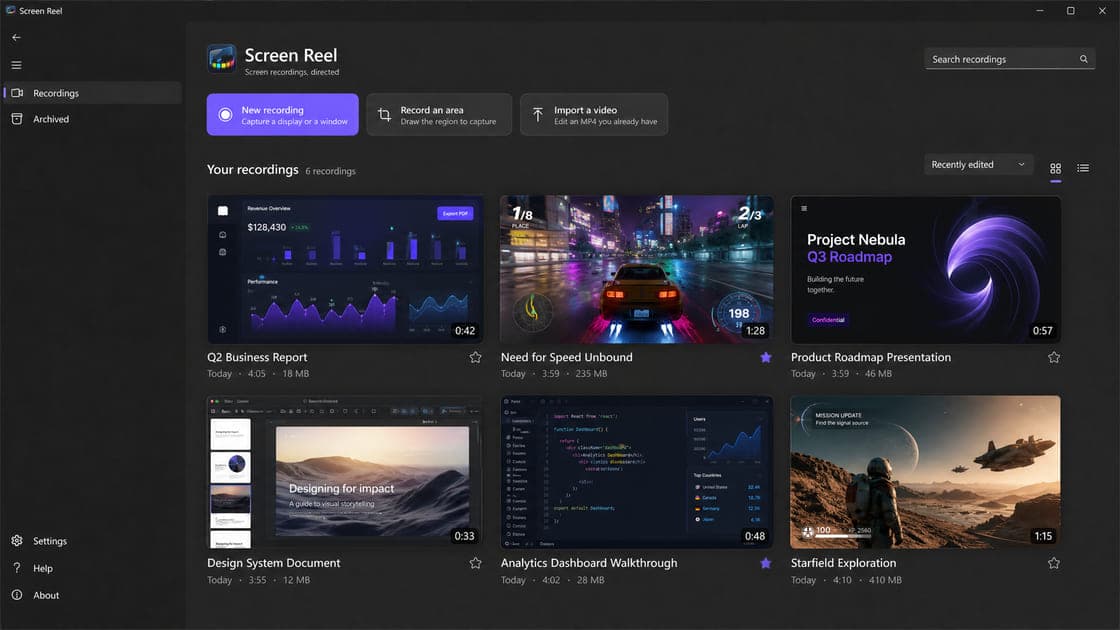
What makes it special
Fix it after recording
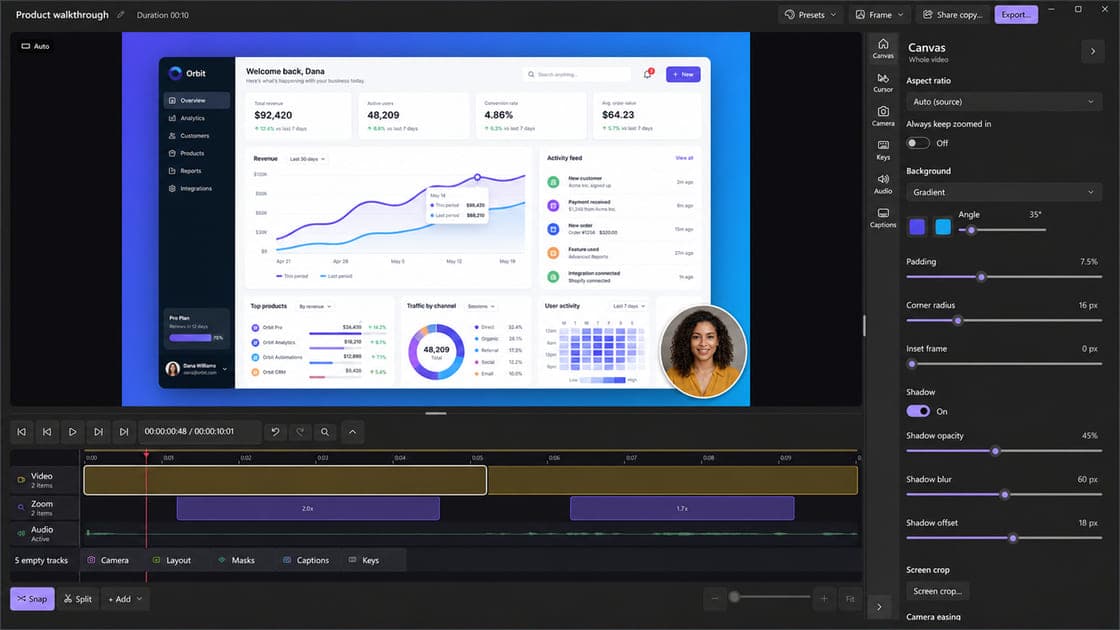
Zooms, cursor, framing and captions are editing decisions, not baked pixels — capture first and make every call afterwards, calmly.
Automatic zooms
Screen Reel follows the action with smooth camera moves that land as editable timeline segments you can adjust, move, or delete.
A cursor worth watching
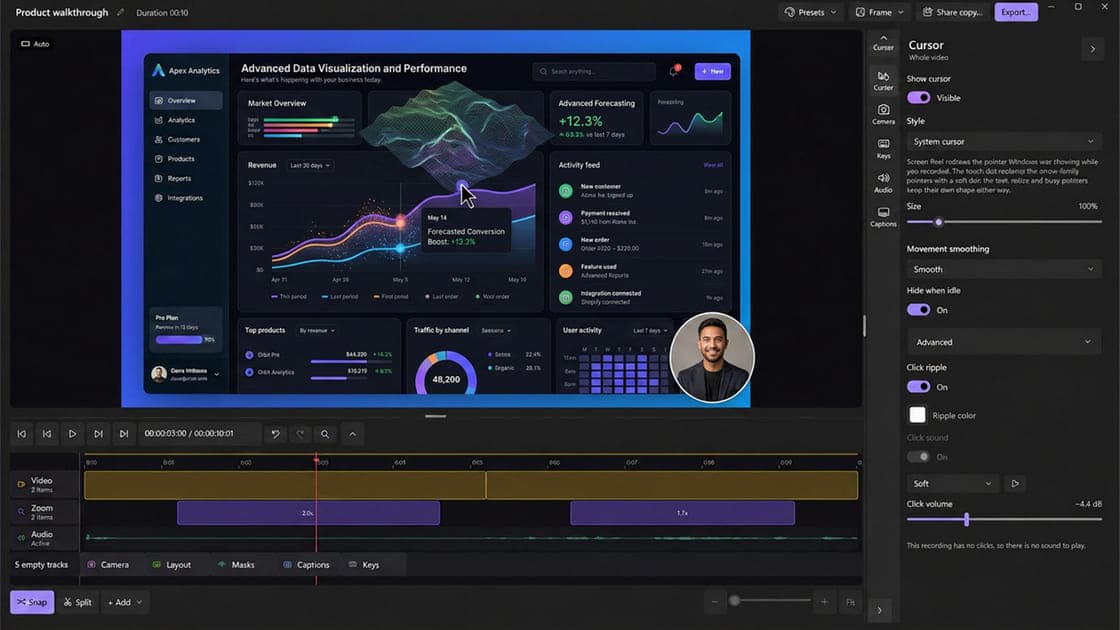
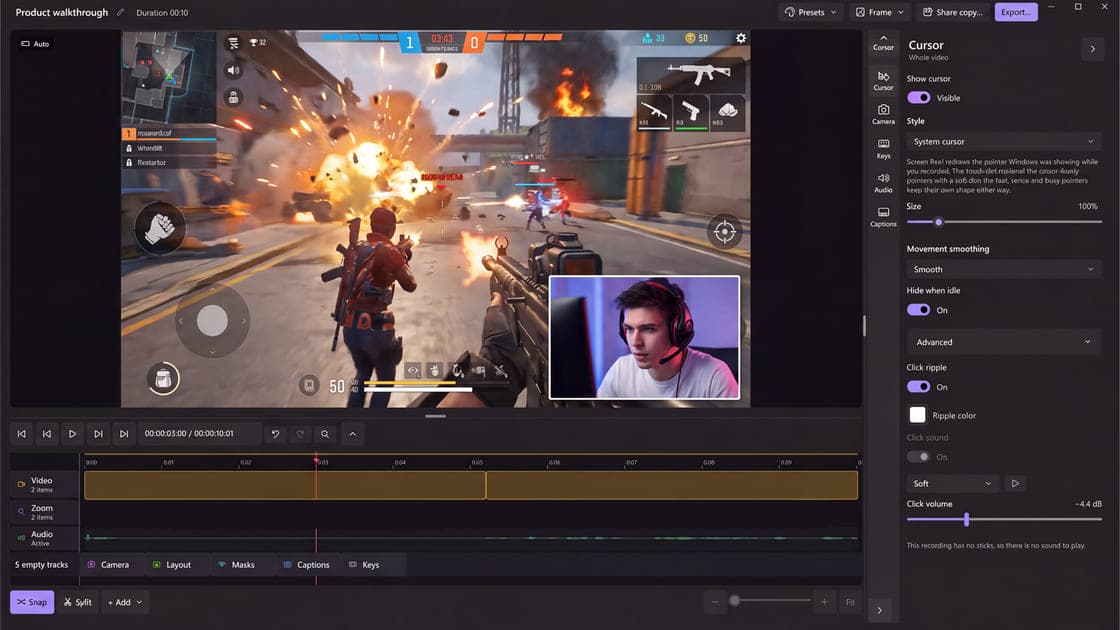
The pointer is recorded as data and re-rendered in post, with movement smoothing, size, click ripples, click sounds, and hide-when-idle.
From capture to demo in one project
Trim, cut and change speed, add backgrounds, padding and shadows, show keystrokes and your webcam, then export an MP4, a GIF, or a still frame.
Captions without the cloud
Transcription runs locally on your PC with Whisper speech models, so your recordings and audio are never sent away to caption them.
Private by design
No account, no ads, no usage analytics, and no automatic uploads — recordings and projects stay in folders on your PC.
Record now, direct it after
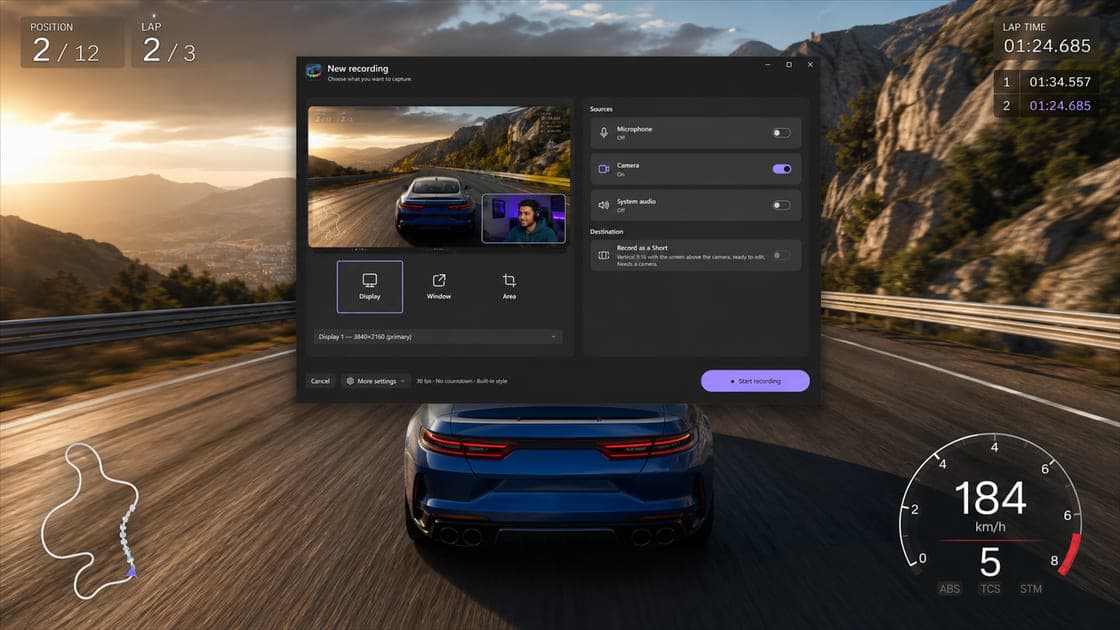
Most screen recordings die in the retake loop: one hesitation, one wrong click, start again. Screen Reel breaks the loop by treating recording and directing as two separate jobs. Capture a display, a window, or an area — with system audio, your microphone, and your webcam if you want them — and make every presentation decision later, in a calm edit.
Zooms and a cursor that feel directed
Screen Reel adds smooth, automatic zooms that follow the action, and each one lands on the timeline as a segment you can adjust, move, or delete. The cursor gets the same care: it is never baked into the captured pixels. Position, clicks, and pointer shape are recorded as data and re-rendered when the video is produced — with movement smoothing, adjustable size, click ripples and click sounds, and an option to hide it when idle.
Everything a finished demo needs
Trim and cut takes, speed up the slow parts, and place the result on a background with padding, rounded corners, and a shadow. Show keystrokes as an overlay, keep your webcam in a clean bubble, and let local Whisper models caption the voiceover on your PC. Audio comes out presentable too, with noise reduction and loudness normalization. When it looks right, export an MP4, a GIF, or a single frame — or record a vertical Short that is ready for social formats from the start.
Private by design
There is no account, no advertising, no usage analytics, and no automatic upload. Recordings, edits, captions, and settings live in local folders you control with ordinary Windows tools. The only download the app performs is a caption model you explicitly select — and your media is never sent with it.
Built for Windows 11
Screen Reel is a native Windows 11 app, built with WinUI 3 and running natively on x64 and ARM64. It requires Windows 11 22H2 (build 22621) or later. Get Screen Reel from Microsoft Store as a free download, with an optional one-time Screen Reel PRO upgrade and no subscriptions.
Frequently asked questions
Where can I get Screen Reel?
Screen Reel is available from Microsoft Store for Windows 11. Use the Store link on this page to view its current availability for your market and Store account.
Is Screen Reel free?
Screen Reel is free to download. An optional one-time Screen Reel PRO purchase through Microsoft Store unlocks the complete experience — there are no subscriptions, and Store always shows the exact price before you confirm.
What can Screen Reel record?
A full display, a single window, or an area you draw, with optional system audio, microphone, and webcam. You can also record a vertical Short ready for social formats, or import an MP4 you already have and edit that instead.
Are the zooms and the cursor burned into the video?
No. The cursor is captured as data — position, clicks, and shape — and re-rendered when the video is produced, and zooms live as segments on the timeline. You can restyle, move, or remove any of them at any point before export.
Do captions need an internet connection?
Caption transcription runs locally. If the selected Whisper speech model is not on your PC yet, Screen Reel downloads it over HTTPS; your recording and its audio are never sent with that request.
Do I need an account?
No. Screen Reel has no account, no usage analytics, and no automatic uploads. Projects are ordinary folders on your PC that you can move, copy, or delete with Windows tools.
What are the system requirements?
Windows 11 22H2 (build 22621) or later. Screen Reel runs natively on both x64 and ARM64 PCs. Windows 10 is not supported.
Get Screen Reel
Record your screen now, direct it after — smooth zooms, a cinematic cursor and captions, all editable before export.